
.pdf, .doc, .docx, .txt, and other common document types. Maximum 10 MB per file.
What to upload
Upload anything that carries business rules, definitions, or context your team uses to interpret data:- Metric and KPI definitions
- Policy documents
- Playbooks and process guides
- Data dictionaries
- Reference reports
Upload a document
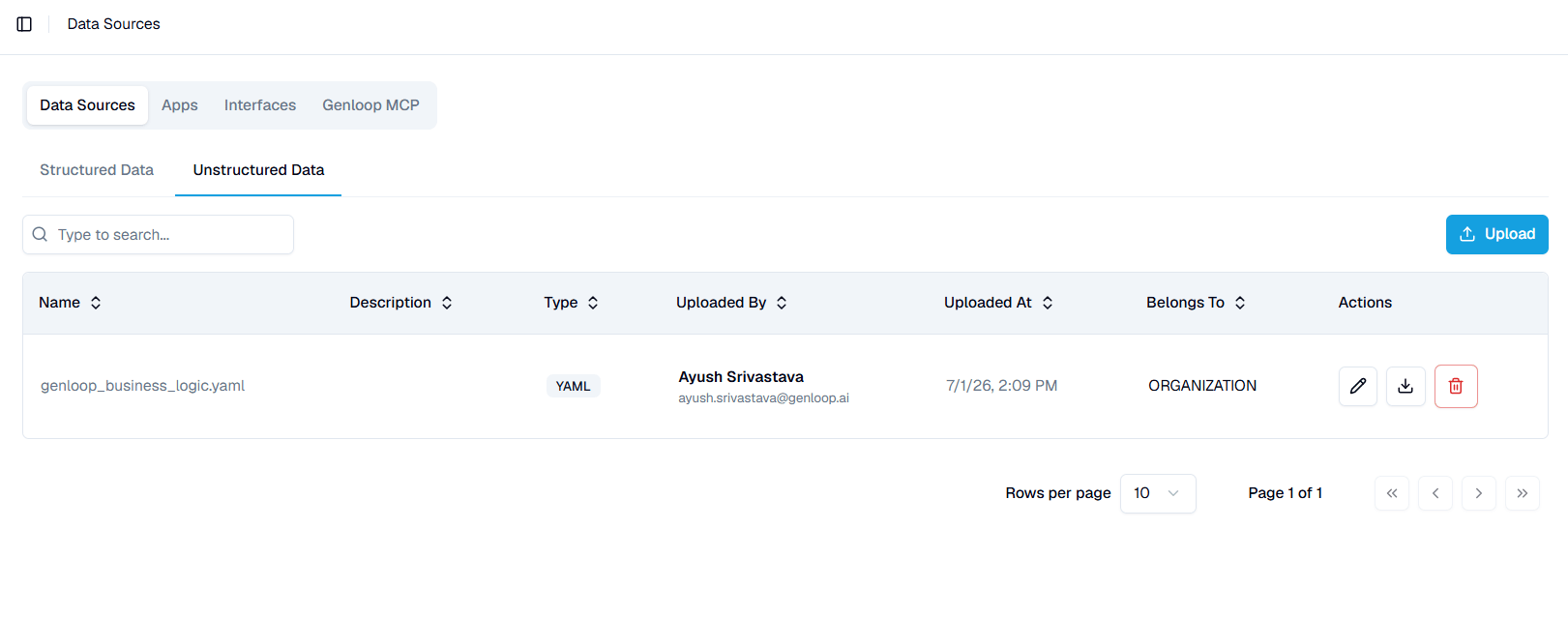
Open the Unstructured Data tab and click Upload. Add your file and set who it applies to. You can upload documents at any time. They do not have to be added during onboarding, and you can keep adding them as your business context grows.Set who a document applies to
Each document has a Belongs To scope:- Organisation — applies across every workspace in your organisation.
- Team — applies only within that team’s context.
Manage documents
The tab lists each document with its name, description, type, uploader, upload date, and scope. Use the row actions to edit its details, download the original file, or delete it. Search by name to find a document in a long list.Next steps
Context Hub
See how uploaded documents feed into your workspace context.
Connect a database
Add structured data sources alongside your documents.