
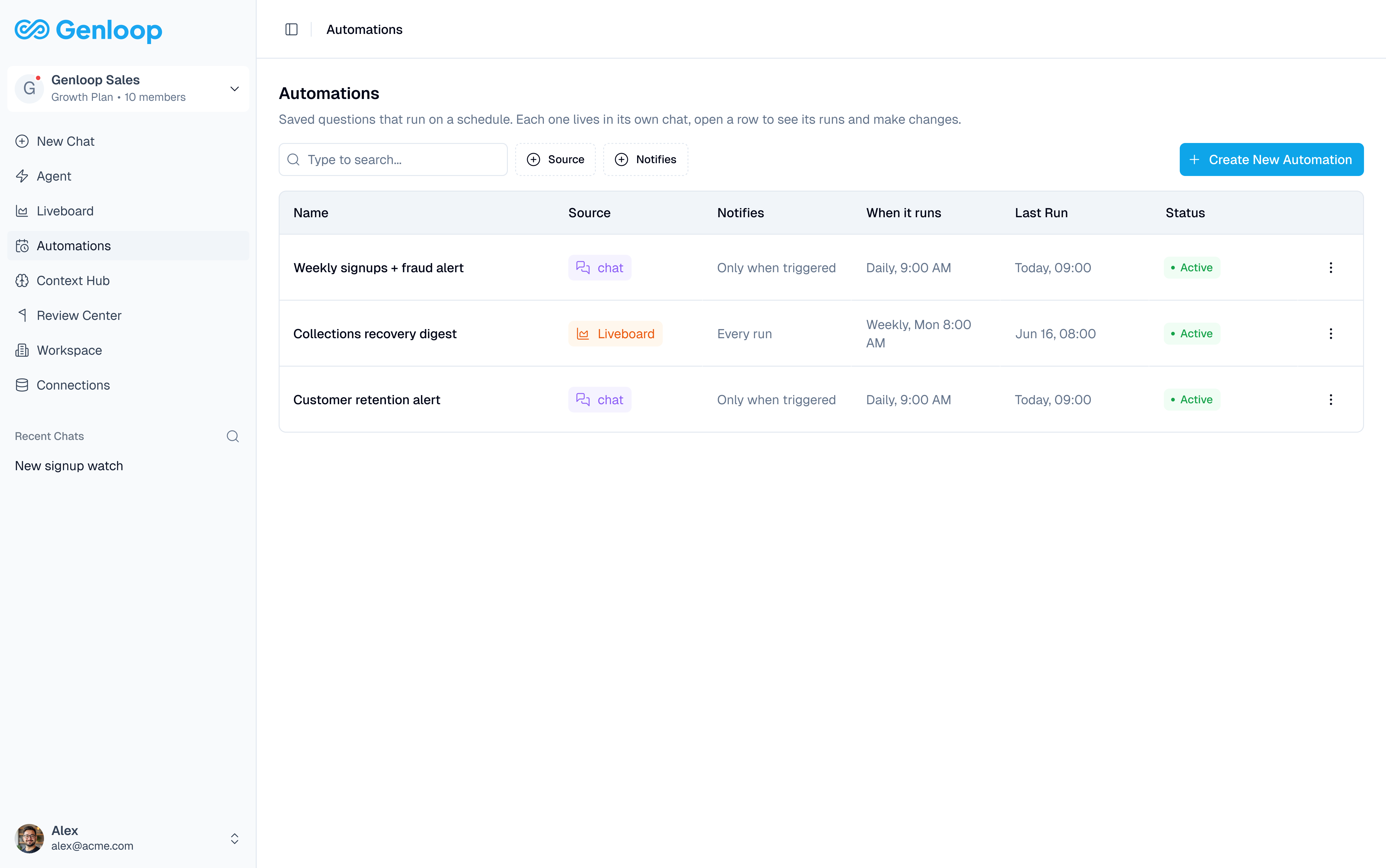
The Automations list
Every automation in your workspace shows up as a row:- Name: the name of the automation
- Source: where the underlying question lives, Chat or Liveboard. Click through to open it.
- Notifies: whether you hear about every run or only when triggered (see below)
- When it runs: the cadence, for example Daily, 9:00 AM or Weekly, Mon 8:00 AM
- Last Run: when the automation last ran
- Status: whether the automation is active
- Action: open the row’s ⋮ menu to edit or delete it
Creating an automation
Click Create New Automation on the Automations page, or start from a question you’re already asking:- From Chat, describe what you want in plain language: “Send me a weekly signups report every Monday at 9am” or “Alert me when daily orders drop more than 20% from the previous day.” Genloop turns it into an automation, pre-filled and ready to review.
- From a Liveboard, turn a tile into an automation the same way you’d create a report.
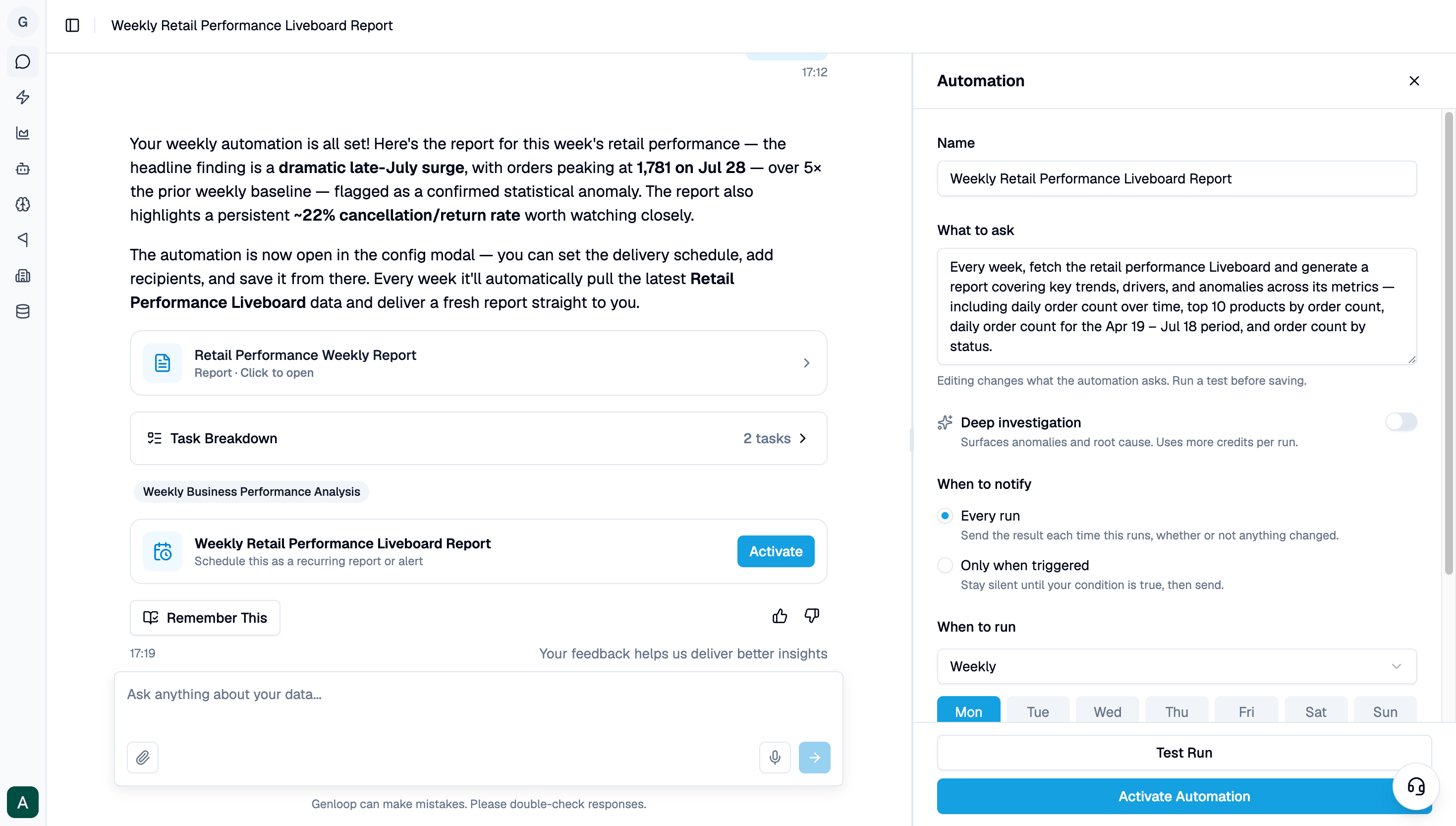
- Name: what to call the automation
- What to ask: the underlying question Genloop runs each time, in plain language
- Deep investigation: an optional toggle that has Genloop surface anomalies and root cause alongside the result, whichever Notifies setting you use. Uses more credits per run.
- When to notify: Every run sends the result each time, whether or not anything changed. Only when triggered stays silent until a condition you describe is true (for example, “Weekly signups are above 10”), then sends.
- When to run: the cadence (daily, weekly, monthly, or custom), the days it checks, and the time. A line underneath confirms it in plain language, for example “Checks weekly on Mon, Tue, Wed at 9:00 AM IST.”
- Send to: the people who receive it, added by email
An automation is only as good as the question behind it. If you ask for something Genloop cannot compute from your connected data, tighten the question in What to ask before activating.
Next steps
Liveboards
Build the Liveboards you can turn into automations.
Data Apps
Turn a scheduled automation into a full report or presentation.