> ## Documentation Index
> Fetch the complete documentation index at: https://docs.genloop.ai/llms.txt
> Use this file to discover all available pages before exploring further.
# Unstructured Data
> Upload business documents such as PDFs, Word files, and policies so Genloop learns your KPI definitions, business rules, and processes and applies them when answering questions.
Unstructured Data is where you upload business documents: the files that describe how your business works, not what your raw data looks like. Genloop uses them to interpret your data correctly when answering questions.
These documents do not create queryable tables. They inform the answers Genloop gives about your connected data.
Supported formats: `.pdf`, `.doc`, `.docx`, `.txt`, and other common document types. Maximum 10 MB per file.
 ## What to upload
Upload anything that carries business rules, definitions, or context your team uses to interpret data:
* Metric and KPI definitions
* Policy documents
* Playbooks and process guides
* Data dictionaries
* Reference reports
## Upload a document
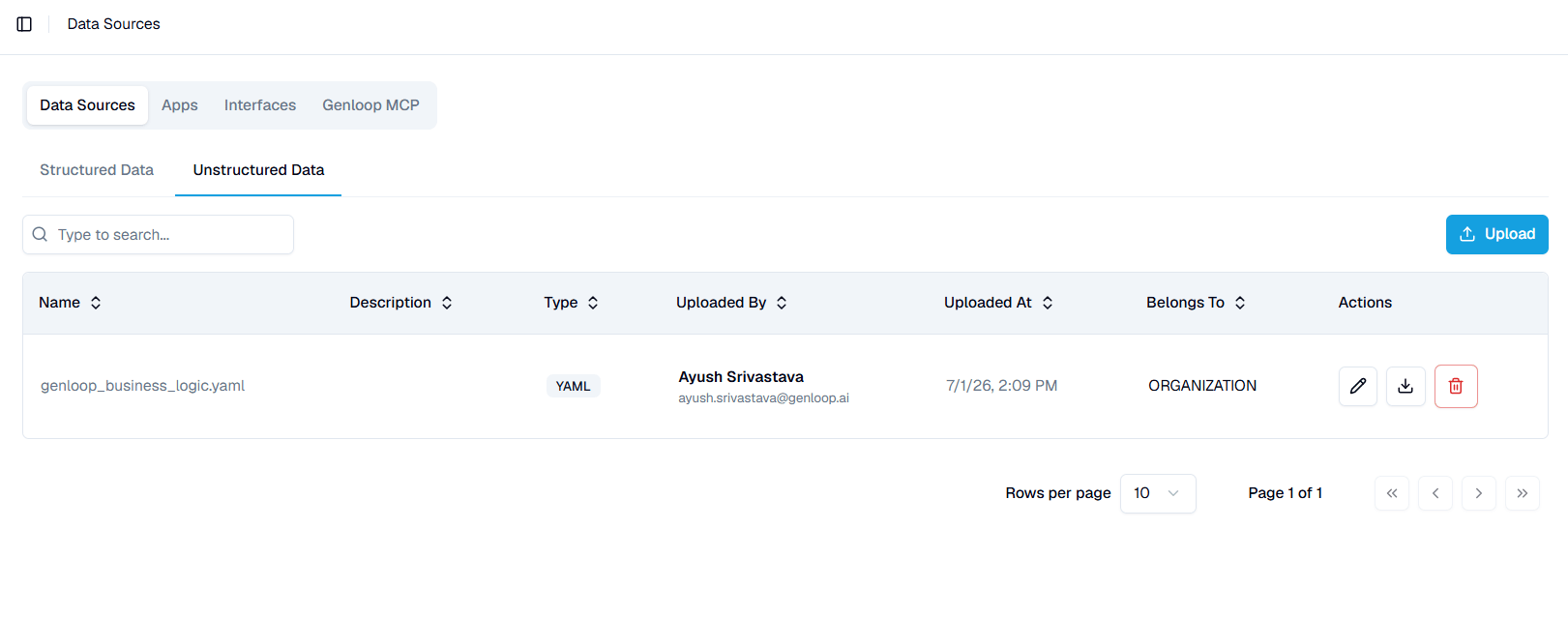
Open the **Unstructured Data** tab and click **Upload**. Add your file and set who it applies to.
You can upload documents at any time. They do not have to be added during onboarding, and you can keep adding them as your business context grows.
## Set who a document applies to
Each document has a **Belongs To** scope:
* **Organisation** — applies across every workspace in your organisation.
* **Team** — applies only within that team's context.
## Manage documents
The tab lists each document with its name, description, type, uploader, upload date, and scope. Use the row actions to **edit** its details, **download** the original file, or **delete** it. Search by name to find a document in a long list.
## Next steps
See how uploaded documents feed into your workspace context.
Add structured data sources alongside your documents.
## What to upload
Upload anything that carries business rules, definitions, or context your team uses to interpret data:
* Metric and KPI definitions
* Policy documents
* Playbooks and process guides
* Data dictionaries
* Reference reports
## Upload a document
Open the **Unstructured Data** tab and click **Upload**. Add your file and set who it applies to.
You can upload documents at any time. They do not have to be added during onboarding, and you can keep adding them as your business context grows.
## Set who a document applies to
Each document has a **Belongs To** scope:
* **Organisation** — applies across every workspace in your organisation.
* **Team** — applies only within that team's context.
## Manage documents
The tab lists each document with its name, description, type, uploader, upload date, and scope. Use the row actions to **edit** its details, **download** the original file, or **delete** it. Search by name to find a document in a long list.
## Next steps
See how uploaded documents feed into your workspace context.
Add structured data sources alongside your documents.