> ## Documentation Index
> Fetch the complete documentation index at: https://docs.genloop.ai/llms.txt
> Use this file to discover all available pages before exploring further.
# First answer
> Ask your first question in Genloop Chat, review the AI's reasoning and SQL, validate the answer, and save it to a Liveboard to share with your team.
## Start in Chat
**Chat** is your main workspace in Genloop. Type a question in plain English — Genloop figures out the rest.
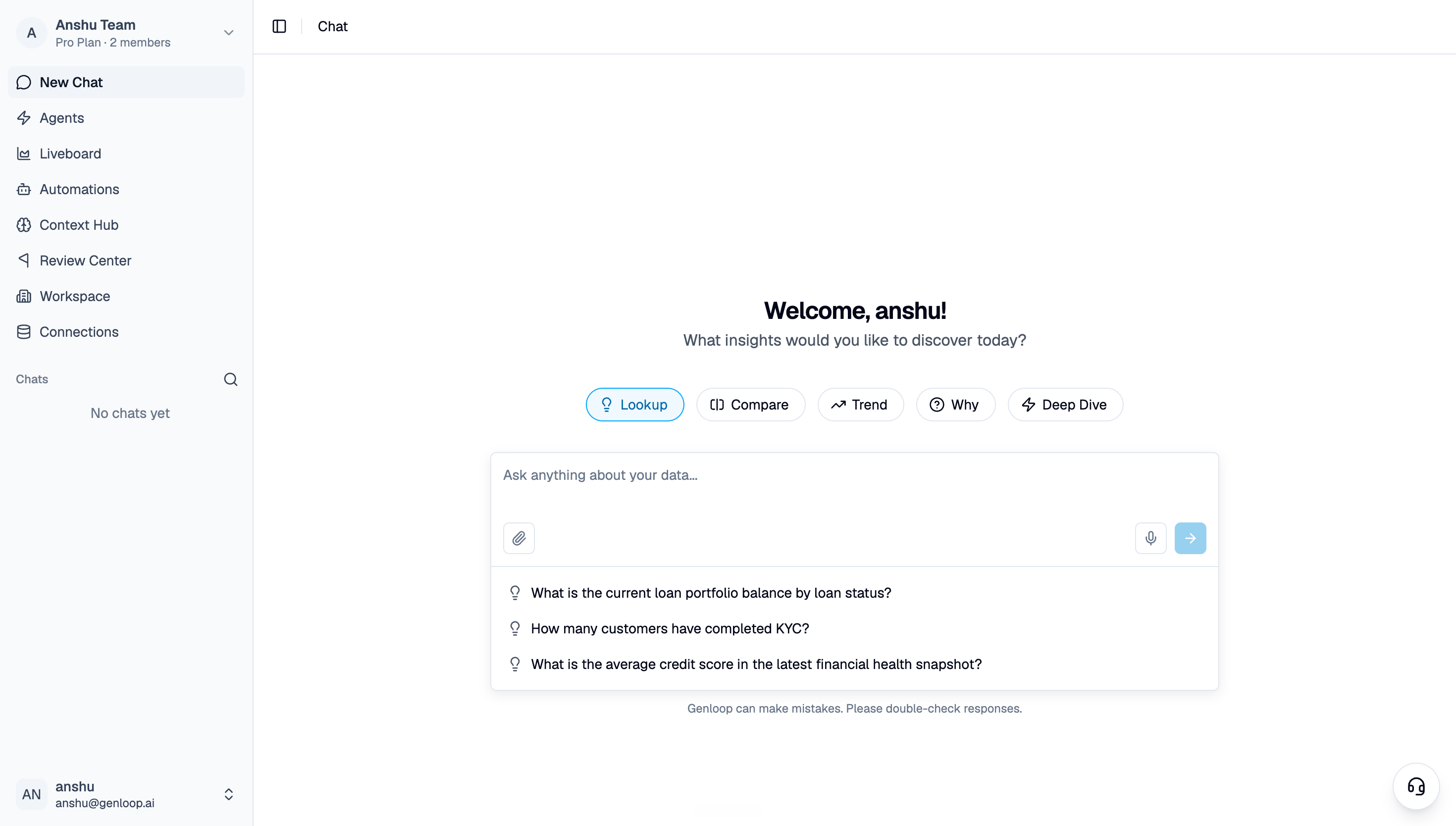 Start with something you already know the answer to. A number you can verify. That way you're testing the reasoning, not just taking the output at face value.
**Good first questions:**
* "What were total sales last month?"
* "Which region had the highest return rate in Q1?"
* "Show me the top 10 customers by revenue this year."
## Read the reasoning
Every answer comes with its reasoning visible. Genloop shows you the tables it queried, the logic it applied, and how it reached the number.
Start with something you already know the answer to. A number you can verify. That way you're testing the reasoning, not just taking the output at face value.
**Good first questions:**
* "What were total sales last month?"
* "Which region had the highest return rate in Q1?"
* "Show me the top 10 customers by revenue this year."
## Read the reasoning
Every answer comes with its reasoning visible. Genloop shows you the tables it queried, the logic it applied, and how it reached the number.
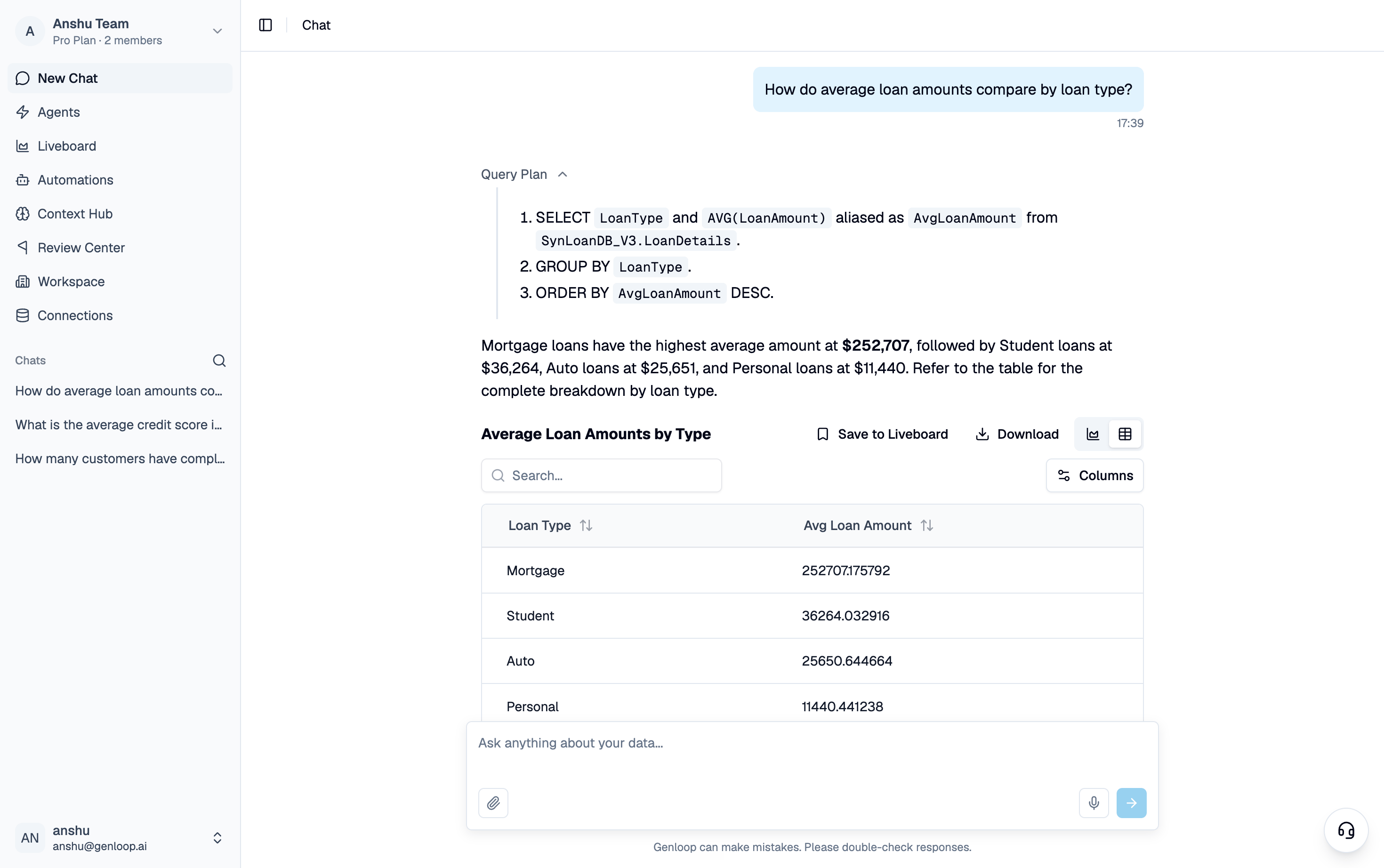 This isn't just transparency for its own sake — it's how you catch something off and correct it early. If the logic looks wrong, flag it. That correction goes directly into improving future answers.
## Save what matters
Once you have an answer worth keeping, pin it to a **Liveboard**. Liveboards are your team's shared view — living dashboards that update as your data does, built from the questions you actually asked.
## Where to go next
Follow-ups, deep dives, anomaly investigation — everything Chat can do.
Save answers and build shared views for your team.
Add business definitions and metric logic to sharpen your answers.
Bring in teammates and collaborate on the same data.
This isn't just transparency for its own sake — it's how you catch something off and correct it early. If the logic looks wrong, flag it. That correction goes directly into improving future answers.
## Save what matters
Once you have an answer worth keeping, pin it to a **Liveboard**. Liveboards are your team's shared view — living dashboards that update as your data does, built from the questions you actually asked.
## Where to go next
Follow-ups, deep dives, anomaly investigation — everything Chat can do.
Save answers and build shared views for your team.
Add business definitions and metric logic to sharpen your answers.
Bring in teammates and collaborate on the same data.