> ## Documentation Index
> Fetch the complete documentation index at: https://docs.genloop.ai/llms.txt
> Use this file to discover all available pages before exploring further.
# Try Demo Data
> Try Genloop in the preloaded demo workspace, a permanent sandbox with sample data so you can test questions and reasoning before connecting your own.
Every Genloop account comes with a demo workspace — a permanent sandbox with a preloaded dataset, ready the moment you sign in. It's separate from your own workspace and always available, so you can come back to it anytime.
Use it to explore how Genloop reasons, test the investigation flow, or just get a feel for the platform before going deeper on your own data.
## Getting into the demo workspace
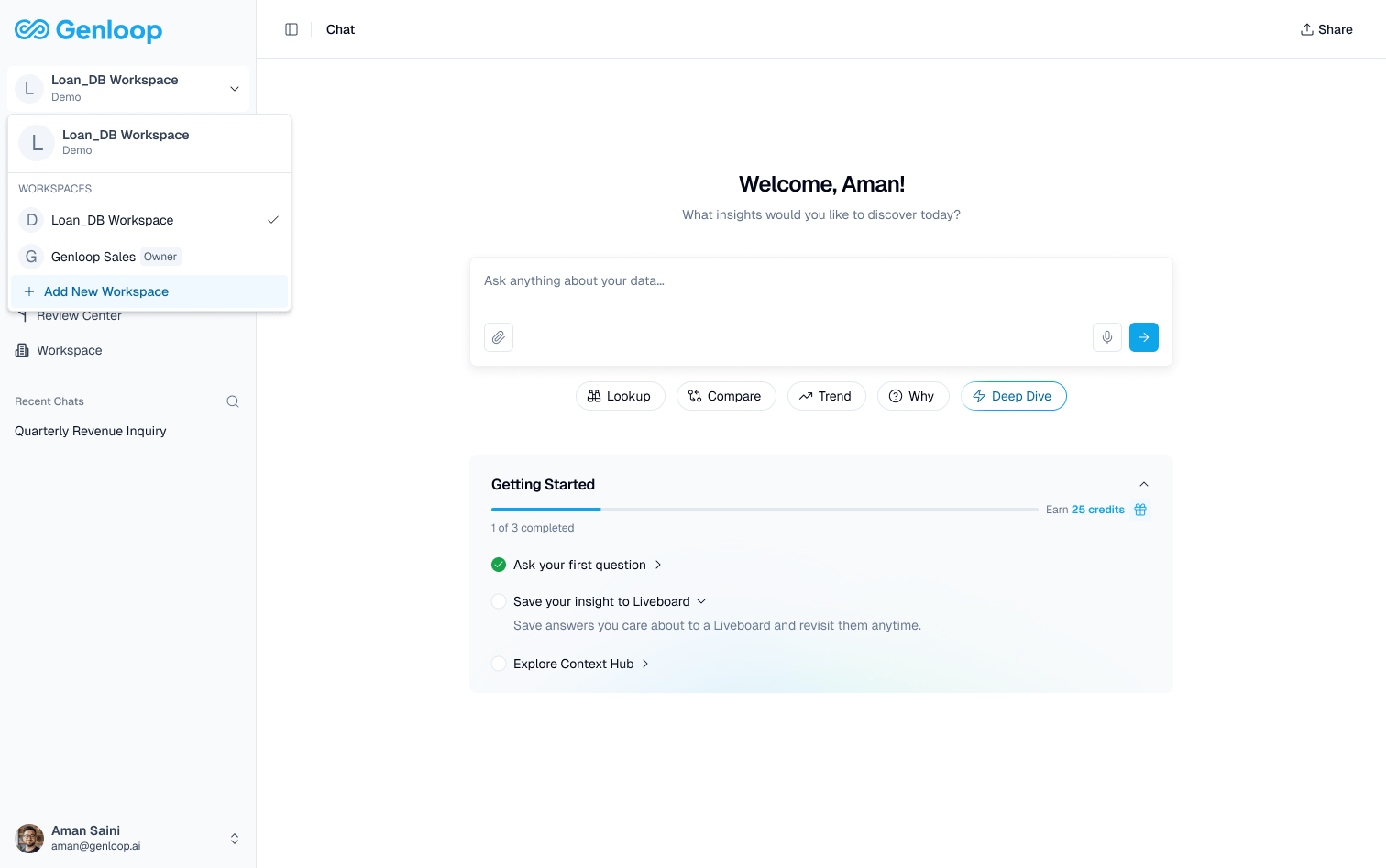
From the workspace switcher in the top left, select **Demo Workspace**. You'll land directly in Chat with the demo dataset active — no connection setup, no credentials.

 ## Start exploring
Try asking:
* "What were total revenues last quarter?"
* "Which product category had the highest return rate?"
* "Show me the top customers by order value."
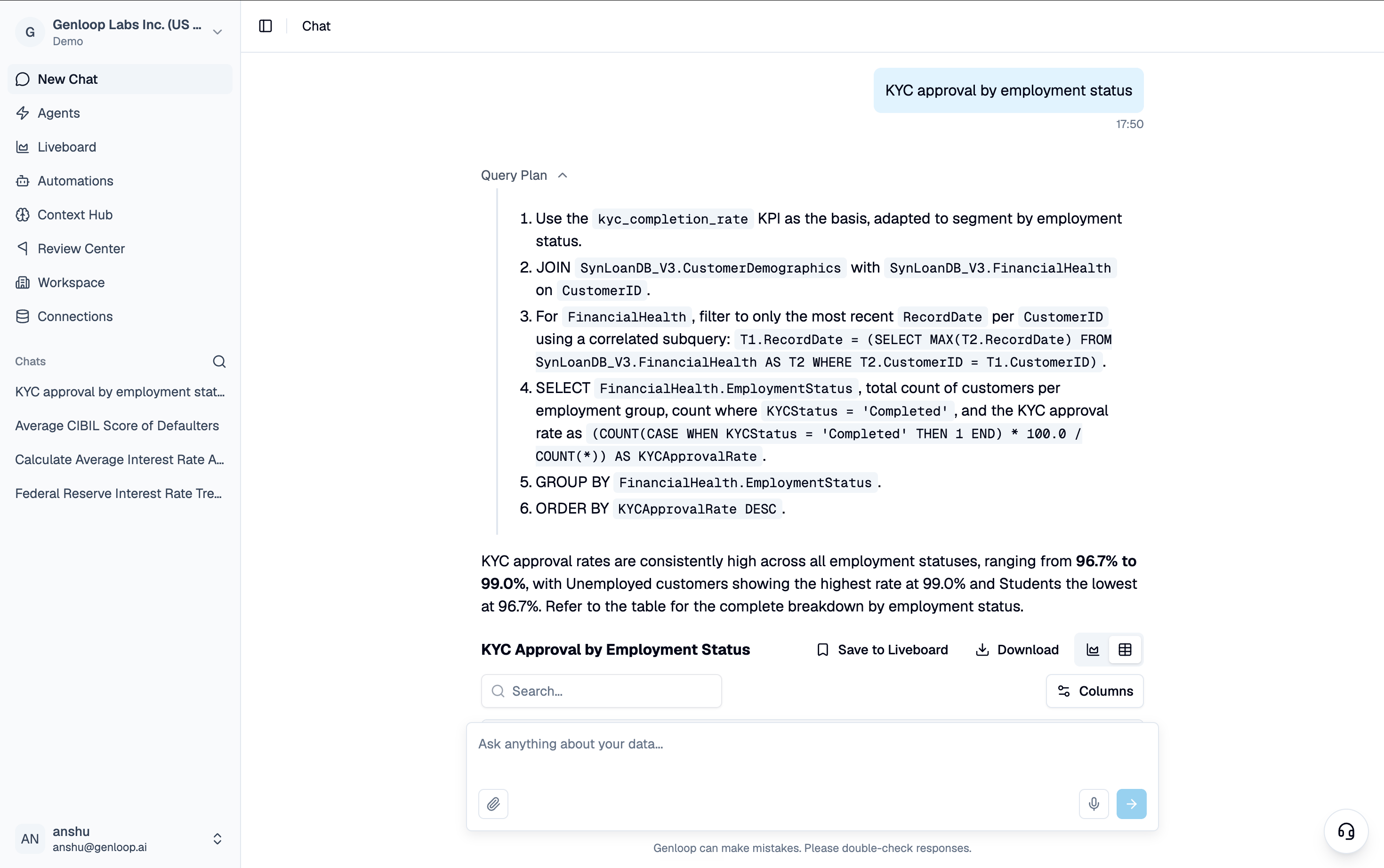
Genloop returns an answer with its full reasoning visible — the tables it used, the logic it applied, and how it got to the number.
## Start exploring
Try asking:
* "What were total revenues last quarter?"
* "Which product category had the highest return rate?"
* "Show me the top customers by order value."
Genloop returns an answer with its full reasoning visible — the tables it used, the logic it applied, and how it got to the number.
 The demo workspace is a good place to figure out what questions matter most to your team. Take note of what's useful — you can ask the same things once your own data is connected.
## What the demo workspace isn't
The demo workspace is a sandbox — any context, feedback, or corrections you add here don't carry over to your own workspace. Think of it as a permanent playground, not a starting point that you graduate from.
Your own workspace is where the real learning happens.
Ready to bring in your actual data? Here's how.
The demo workspace is a good place to figure out what questions matter most to your team. Take note of what's useful — you can ask the same things once your own data is connected.
## What the demo workspace isn't
The demo workspace is a sandbox — any context, feedback, or corrections you add here don't carry over to your own workspace. Think of it as a permanent playground, not a starting point that you graduate from.
Your own workspace is where the real learning happens.
Ready to bring in your actual data? Here's how.